
 Continue with Google

OutlierKit combines outlier discovery, keyword research, script analysis, and AI-generated competitor reports. It is useful when you want a broad strategy summary quickly, but it is not the only way to research a YouTube market.
Based on month-to-month price, research coverage, data visibility, and workflow fit, KeywordsRocket is my top all-round alternative for creators who want niche, keyword, competitor, outlier, and video research in one transparent workflow. TubeLab is strong for database-led niche discovery, 1of10 focuses on outliers and packaging, and Viewstats is built around broad channel analytics.
This guide compares all four alternatives by monthly price, research depth, data visibility, workflow, and the type of creator each platform serves best.
How I compared them: Every paid price below uses the standard month-to-month subscription, not an annual-equivalent rate. The comparison focuses on publicly documented features, the visibility of underlying data, the breadth of the research workflow, free access, and the creator use case each platform is designed to support.
Understanding OutlierKit
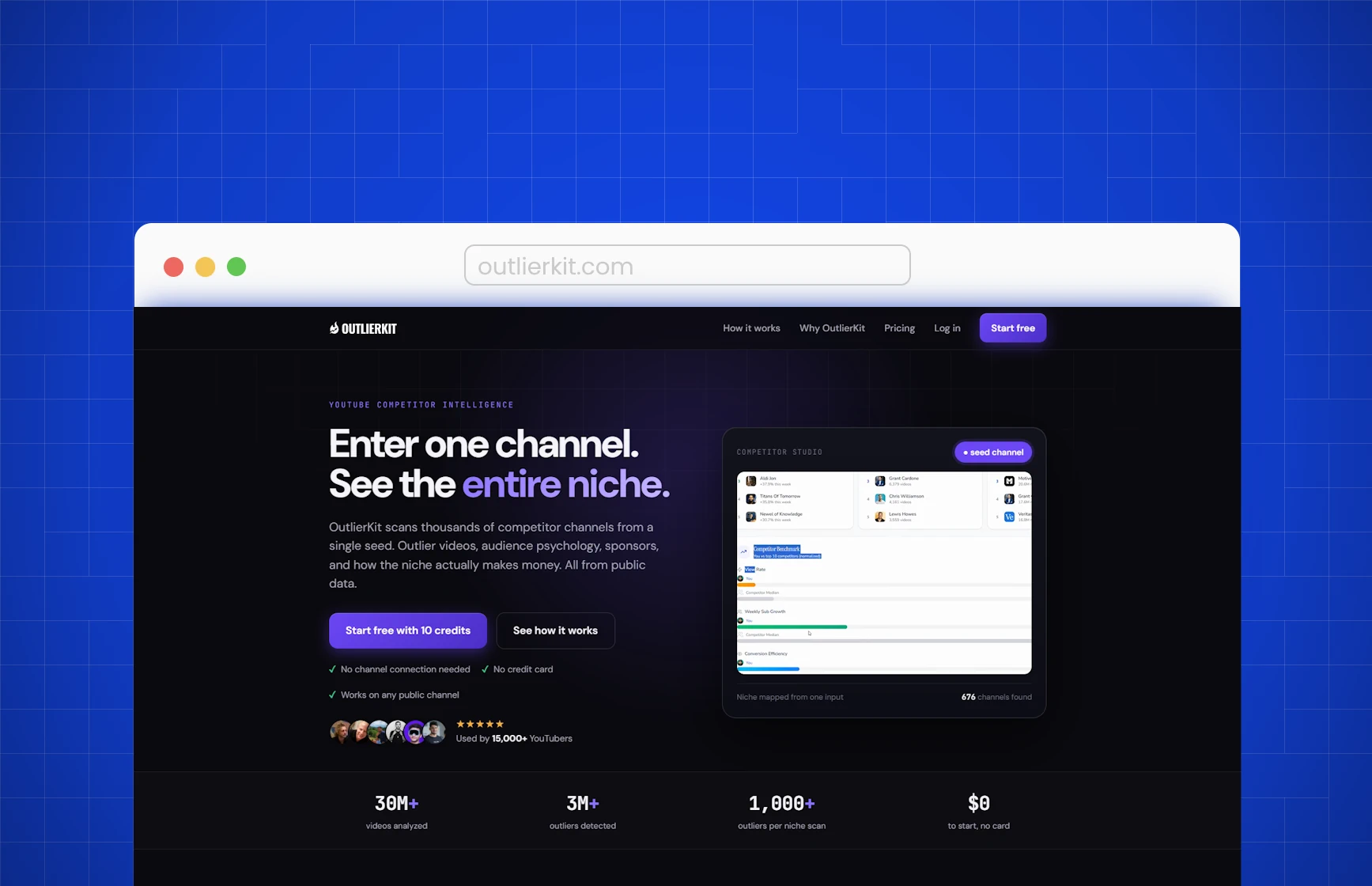
OutlierKit is a YouTube research platform built around videos that outperform a channel's normal baseline. Its public product combines outlier discovery, keyword research, channel analysis, video and script analysis, Deep Research, trend research, saved niches, API access, and a larger Competitor Studio workflow.
The central promise is speed: enter a topic, channel, video, or script and receive an interpreted research output without manually reviewing dozens of channels and spreadsheets. Competitor Studio expands one seed channel into a niche report with modules for competitor discovery, benchmarking, audience psychographics, outliers, sponsors, monetization, funnels, and comment intelligence. The result is designed to read more like a strategy memo than a raw analytics dashboard.
Key Features
Competitor Studio: OutlierKit's flagship workflow starts from a seed channel and produces a multi-module competitive report. It can surface related channels, performance benchmarks, outliers, audience segments, sponsor signals, monetization patterns, funnel observations, and comment themes. Competitor Studio is available on Pro and Max and is listed at 50 credits for a complete niche analysis.
Outlier Research: The outlier tool finds videos performing above a channel's normal level. Creators can use it to discover unusual topics, formats, titles, and packaging patterns that may deserve further investigation.
Keyword Research: OutlierKit includes keyword discovery focused on lower competition and monetizable topics. This adds a search-oriented layer to the platform, although the product's differentiation is more strongly positioned around AI interpretation and competitor reports than around a large transparent keyword workspace.
Deep Research: Deep Research generates content ideas, titles, briefs, and strategy recommendations from channel and competitor inputs. It costs 20 credits per session. The feature is useful when a creator wants a fast synthesis, but the quality of the result still depends on the quality, relevance, and completeness of the public inputs.
AI Script and Hook Analysis: OutlierKit can analyze scripts and videos for hooks, pacing, structure, and content patterns. This is helpful for summarizing a reference video quickly, especially when the creator already knows which source deserves attention.
Audience, Sponsor, and Monetization Summaries: OutlierKit says Competitor Studio builds audience, sponsor, monetization, and comment intelligence from public YouTube data. These outputs can create useful research hypotheses, but they are not direct access to a competitor's private YouTube Analytics, customer records, sponsor contracts, or audience surveys.
API Access: Pro and Max include API access for creators, agencies, and developers who want to integrate OutlierKit outputs into external workflows. This is one of the product's clearest advantages for technically advanced operators.
Limitations and Challenges
It Relies Heavily on AI Summaries: OutlierKit is useful when you want a fast written interpretation of public YouTube data, but much of the product experience is built around AI-generated summaries, briefs, and recommendations. That can save time, but it can also make the workflow feel less inspectable when you want to compare the underlying channels, videos, comments, transcripts, baselines, and search signals yourself.
Credit System Instead of Unlimited Research: OutlierKit is not an unlimited research tool. It runs on credits, so each meaningful research session draws from the plan allowance. Outlier research and keyword tools use smaller amounts, Deep Research costs 20 credits, and Competitor Studio costs 50 credits for a complete niche analysis. That matters because serious research usually means testing several niches, competitors, and seed channels before trusting a direction.
The Flagship Report Costs 50 Credits and Requires Pro: Competitor Studio is the feature that makes OutlierKit look most like a deep competitor-intelligence platform, but it is not included in the $29/month Hobby plan. Creators need the $49/month Pro plan or higher, and a complete Competitor Studio niche analysis is still listed at 50 credits per report. In practice, the flagship workflow sits behind both a higher plan tier and a meaningful credit cost.
The Flagship Report Cannot Be Tested with the Standard Trial: New users receive 10 free credits, while Competitor Studio requires 50. The feature that gives OutlierKit its strongest appearance of depth is therefore not available through the normal trial allowance. Users can test smaller tools, but not the central report they would need to evaluate most carefully.
Higher Month-to-Month Entry Price: OutlierKit Hobby costs $29/month and Pro costs $49/month on monthly billing. Hobby does not include Competitor Studio, so creators who want the flagship niche-report workflow need the $49 Pro plan.
KeywordsRocket: My Top All-Round OutlierKit Alternative
Core Features and Benefits
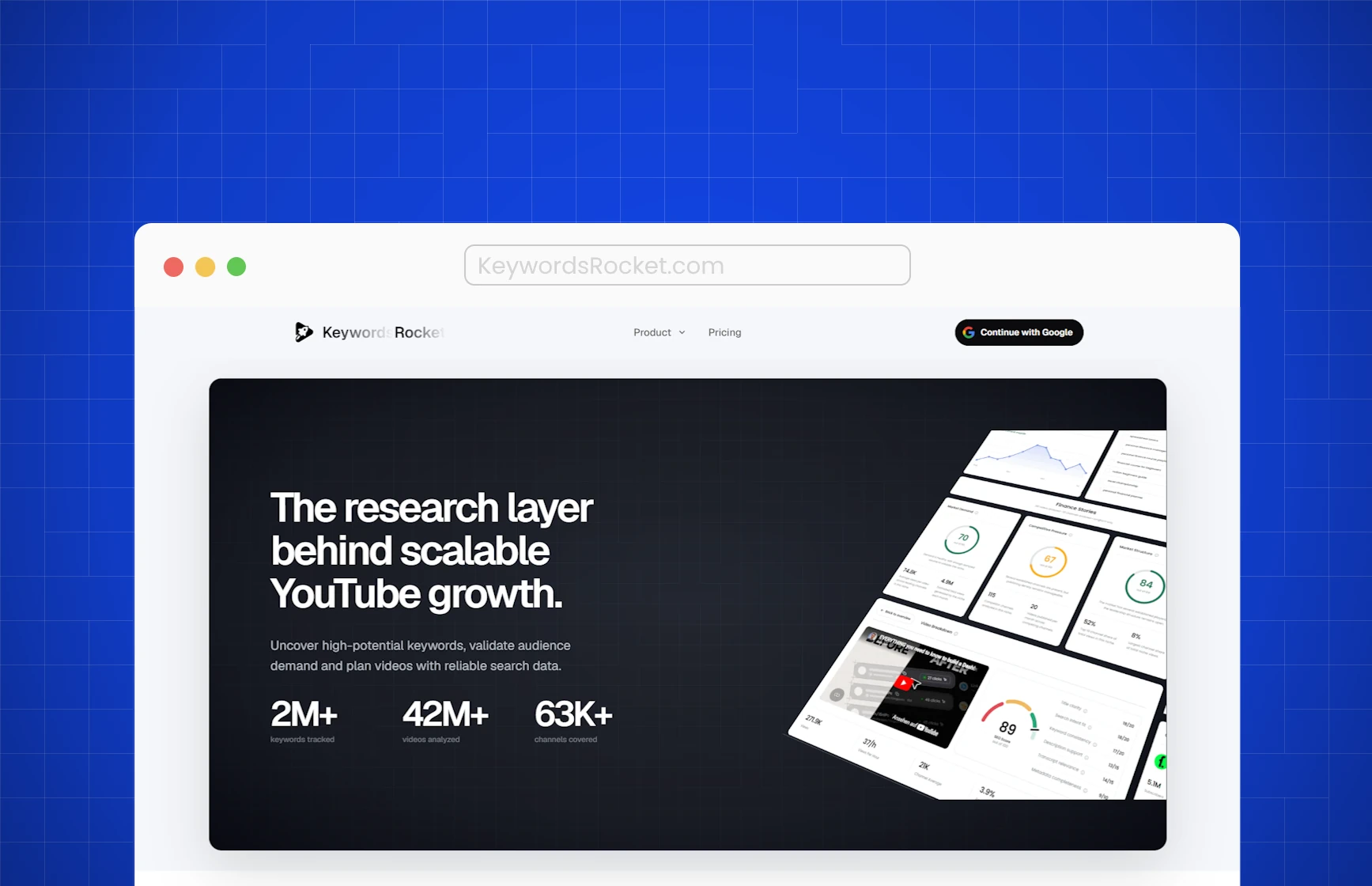
KeywordsRocket is built around a different research philosophy: show the creator the evidence first, then use analysis to make the evidence easier to interpret. The product connects market validation, keyword demand, competitor performance, outlier discovery, transcripts, and video structure without turning every result into a long AI-generated strategy report.
The main difference is not simply the number of features. It is the type of answer each feature produces. KeywordsRocket prioritizes inspectable metrics, filters, comparisons, channel baselines, content clusters, search-style queries, and source material. AI can help organize or explain those signals while the underlying evidence remains available for review.
Outlier Discovery with Transparent Baselines
Finding an outlier is easy. Deciding whether it represents a repeatable opportunity is harder. A video can outperform because of timing, external distribution, creator authority, packaging, a news event, or a format that cannot be reproduced by another channel. The creator needs enough context to test those possibilities rather than receiving one paragraph that declares the topic promising.
KeywordsRocket's Outlier Finder compares videos with the publishing channel's normal performance and lets creators filter by views, views per hour, subscriber count, upload age, video length, and outlier score. That makes the result operational. A creator can remove old videos, exclude channels that are too large, focus on a realistic format, and identify recent videos that succeeded on comparable channels.
The output is not presented as proof that the idea will work. It is evidence that a specific video materially exceeded a defined baseline. The creator can then open the source, inspect the channel, review similar uploads, and determine whether the performance belongs to a repeatable pattern or an isolated event.
Niche Validation Before Video Ideation
Outlier discovery is most useful after the market has been validated. A creator can find impressive videos inside a niche that is too concentrated, too seasonal, too expensive to produce for, or dominated by one exceptional channel. A viral example does not answer whether the broader niche supports a sustainable publishing strategy.
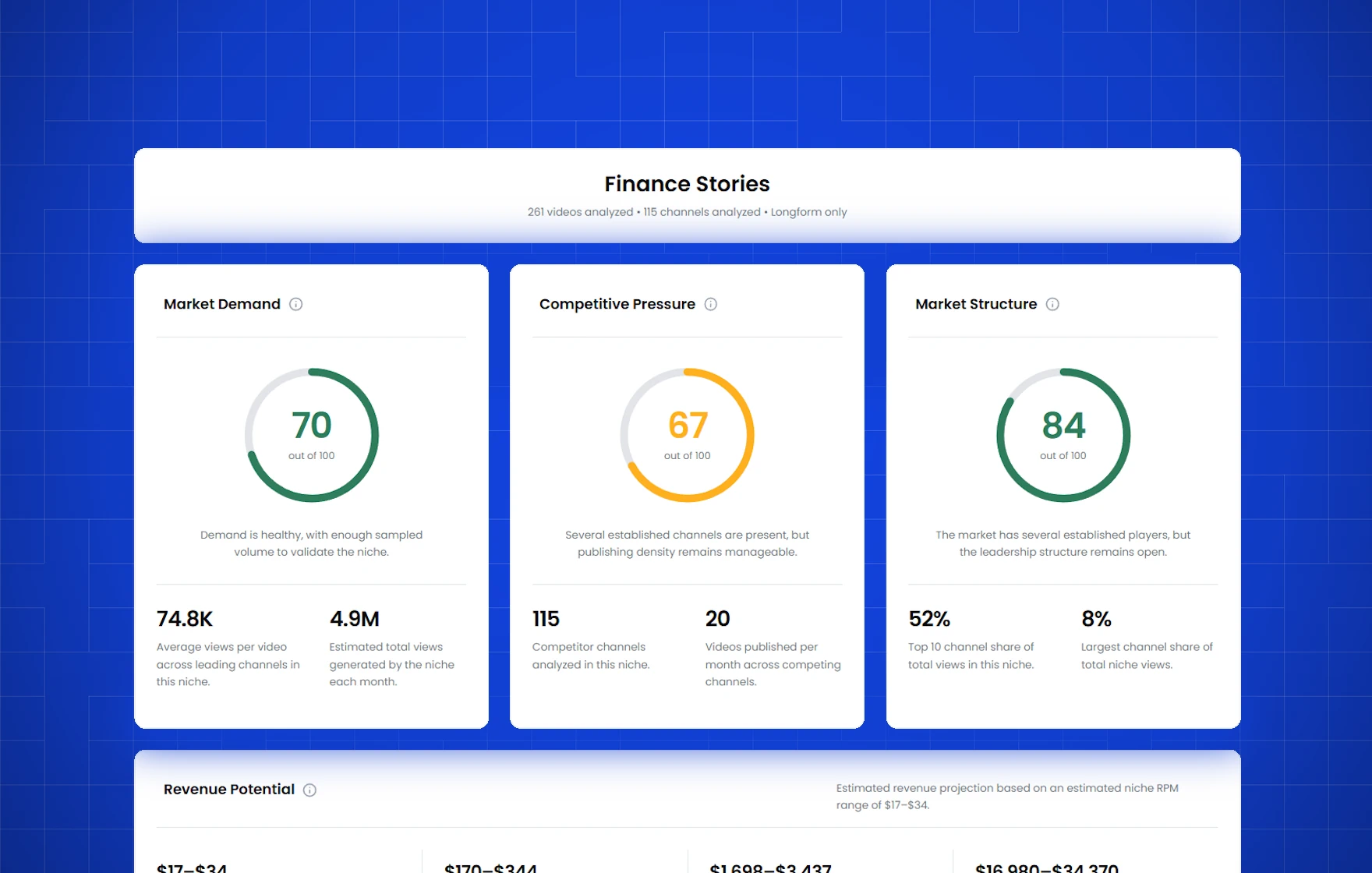
KeywordsRocket's YouTube Niche Analyzer evaluates demand, active competition, market structure, publishing activity, channel concentration, and estimated monetization potential. The purpose is not to generate an AI declaration that a niche is profitable. It is to give the creator comparable signals and show where the market looks attractive or risky.
This distinction matters for new channels. They do not need the market with the most exciting AI summary. They need recurring demand, enough room beyond a few incumbents, a realistic production model, and several repeatable content formats. KeywordsRocket keeps that decision connected to the same workflow used for competitors and outliers.
Competitor Analysis Based on Observable Channel Data
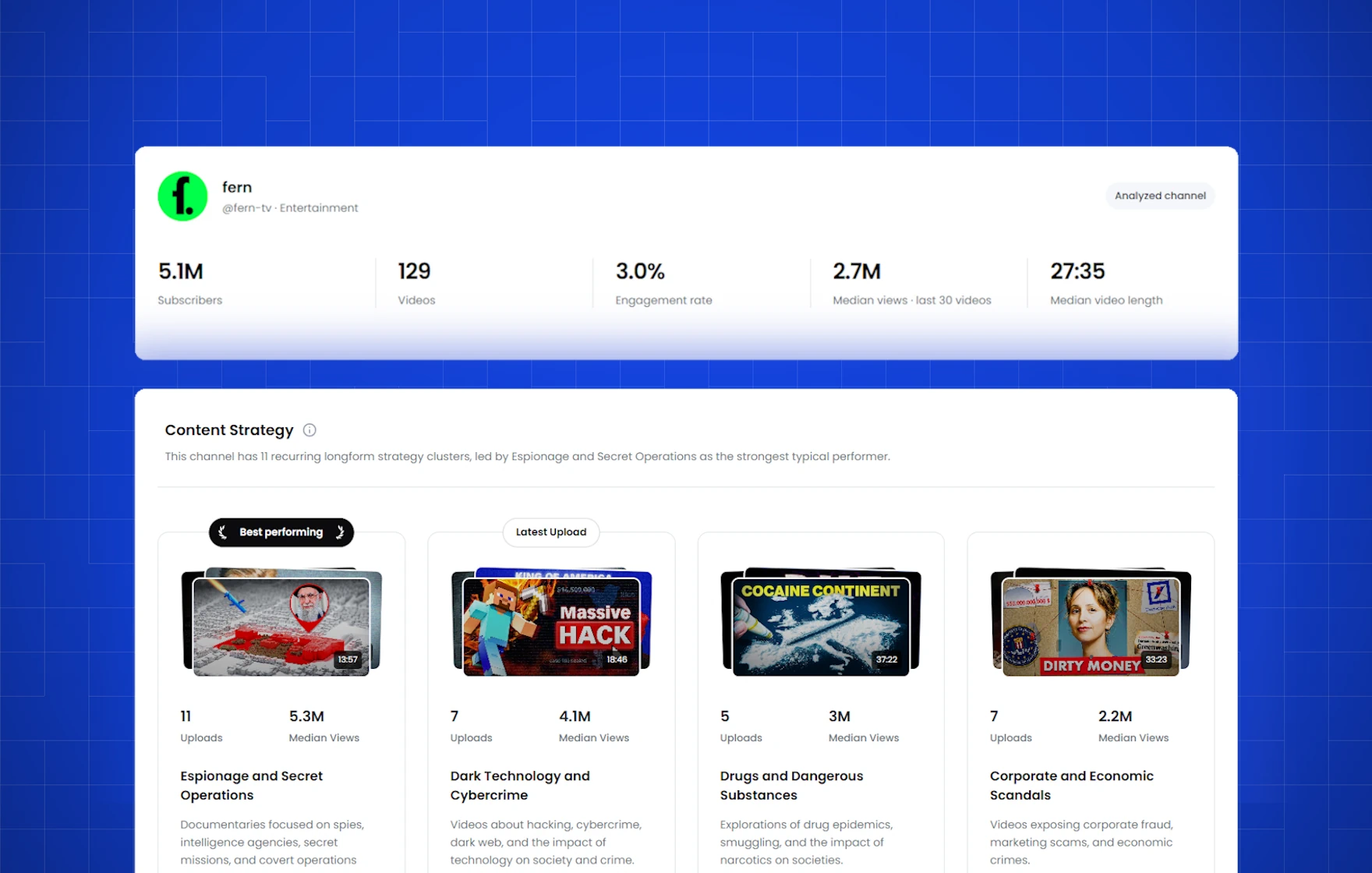
KeywordsRocket's Channel Analyzer focuses on what can actually be observed from a public channel: subscribers, recent median views, engagement, upload frequency, typical video length, publishing rhythm, content clusters, and breakout uploads. These signals do not reveal everything about the business. They do reveal how the channel operates and which patterns repeatedly outperform.
Content clusters are more useful than a single generated recommendation because they show whether a topic or format repeats. If a channel publishes ten videos around one problem and six perform above its recent median, that is visible repeatability. If several comparable channels are growing with the same format, the evidence becomes stronger. If one 30x outlier never repeats, the creator can treat it as inspiration rather than a market conclusion.
Posting rhythm adds another layer of realism. A channel growing through daily Shorts is not directly comparable with a documentary channel publishing twice a month. KeywordsRocket helps the creator see whether performance depends on frequency, format, topic clusters, individual breakouts, or a combination of those factors.
Keyword Demand for Search-Led Opportunities
Outlier platforms naturally favor videos that already received exceptional distribution. That is valuable for browse and suggested traffic, but it can underrepresent stable search opportunities. A tutorial may never become a 20x outlier and still generate relevant views, leads, or product sales for years.
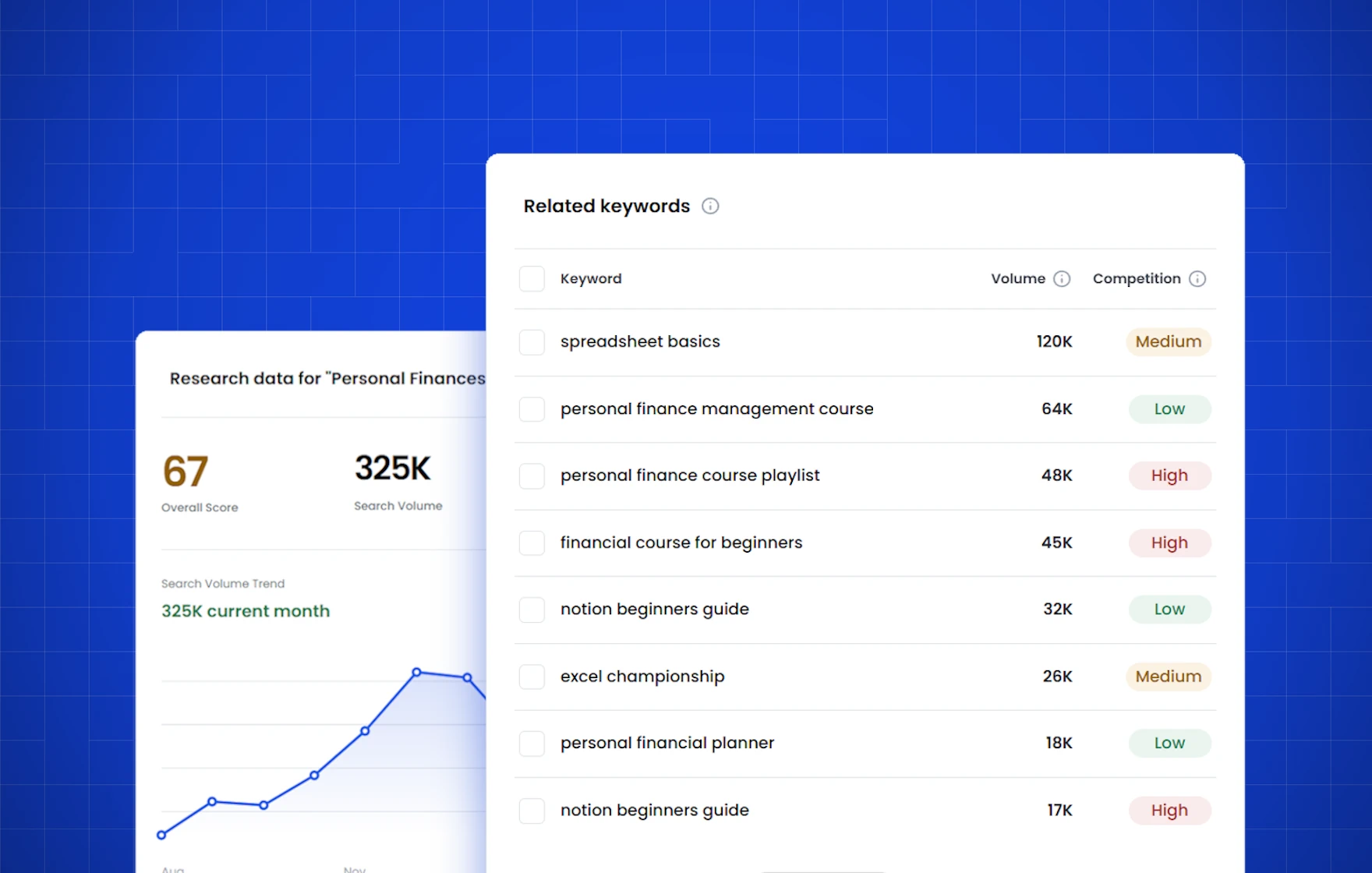
KeywordsRocket's YouTube Keyword Tool expands a topic into matching terms, related queries, and real viewer-style questions. Estimated demand and competition signals help creators compare explicit search intent before choosing a topic. Instead of asking AI to invent content gaps, the creator can see which questions exist and how crowded the current result set appears.
This creates a balanced research model. Outliers reveal unusual performance and proven packaging. Keywords reveal explicit viewer intent. Competitor analysis reveals repeatable channel patterns. Niche analysis reveals whether the wider market is attractive. The decision is based on several visible layers instead of one generated recommendation.
Video Analysis Grounded in the Source
KeywordsRocket can analyze a promising video using its actual metadata and transcript. The workflow covers title and intent fit, description context, SEO signals, hook, intro, structure, calls to action, and script improvement opportunities. The analysis is tied to the source rather than presented as an abstract strategy document.
This makes it easier to separate topic from execution. A creator can identify what promise the title makes, how quickly the video confirms that promise, where the structure changes, which sections carry the argument, and how the call to action is introduced. AI helps make the source easier to inspect; it does not replace the source.
Month-to-Month Value
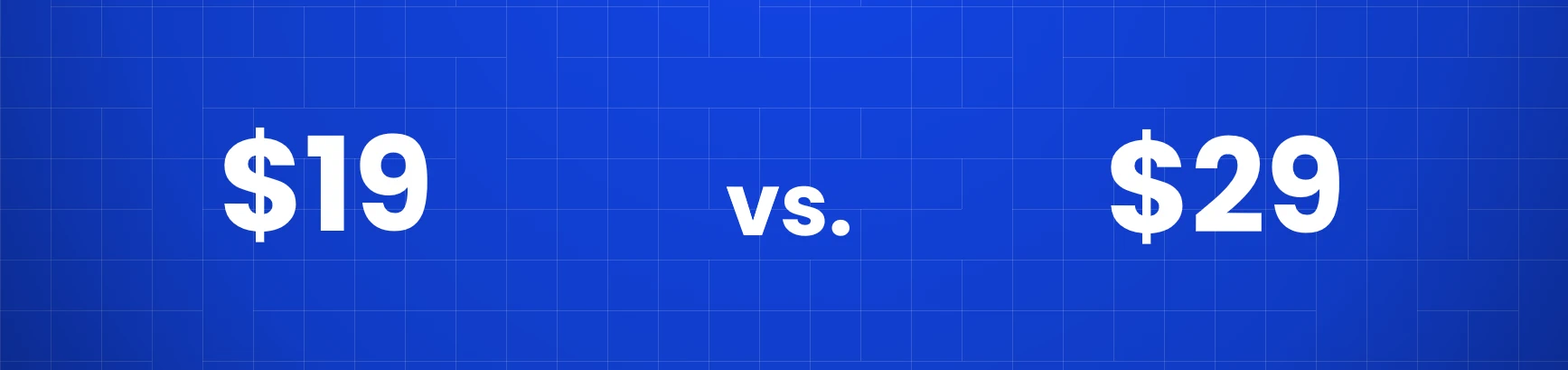
KeywordsRocket Pro costs $15/month, while OutlierKit Hobby costs $29/month on monthly billing. KeywordsRocket is therefore $14 per month, or roughly 48%, below OutlierKit Hobby. OutlierKit Pro costs $49/month and is required for Competitor Studio.
The value comes from replacing several disconnected research steps. Pro connects niche validation, keyword research, competitor analysis, outlier discovery, and video-level analysis under one subscription. For creators who want to make weekly content decisions rather than produce AI consulting reports, that is the more relevant comparison.
Pricing and Plans
KeywordsRocket lets signed-in creators use the core research workflows without a search-count limit. Pro costs $15/month and adds the paid-plan features shown on the pricing page.
Business costs $99/month and is designed for agencies, teams, and professional creators. It includes the broader research workflow, a shared workspace, and access for up to 10 team members.
You do not need to start with a credit-based competitor report to improve content research. Test the visible data surfaces first, upgrade when the workflow becomes part of weekly planning, and use Business when several people need to research from the same workspace.
Use Cases
Niche Validation: Compare demand, competition, channel concentration, publishing activity, and market structure before committing to a new channel or content category.
Competitor Research: Inspect recent medians, upload rhythm, content clusters, engagement, video length, and repeated breakout patterns without relying on an AI-generated competitor profile.
Outlier Discovery: Find videos that outperform a defined channel baseline and filter the results until they match a realistic channel size, age, format, and production model.
Keyword Research: Expand one topic into related keywords and viewer questions, then compare estimated demand and competition before choosing a search-led video.
Video Planning: Open a promising source and inspect its title, metadata, transcript, hook, structure, and improvement opportunities before writing an original brief.
3 More Alternatives to OutlierKit
KeywordsRocket is my top all-round option for a connected market-to-video workflow, but the best alternative still depends on what you are trying to research. TubeLab, 1of10, and Viewstats each emphasize a different part of YouTube strategy.
TubeLab
Price: $29/month for Pro with 300 credits on monthly billing. Focus: Niche discovery, outlier channels and videos, monetization signals, rank tracking, API access, and AI-connected YouTube data. Keyword Research: TubeLab does not offer a dedicated keyword-research tool. Free Access: Several free tools are available, while the core platform is paid.
TubeLab is a database-led research platform aimed at creators who want to discover niches before committing to them. Its product surface includes a YouTube Niche Finder, Outliers Finder, Niche Analyzer, monetization checker, rank tracker, trending formats, API access, and MCP connections for tools such as Claude and ChatGPT.
The main strength is breadth at the discovery layer. TubeLab is designed to surface recently created breakout channels, estimate saturation and monetization potential, compare market size, and find videos performing above their channel baseline. That makes it particularly relevant for faceless creators, portfolio operators, and researchers who want to scan many markets quickly.
However: TubeLab uses credits for parts of the workflow, several monetization or earnings signals are estimates rather than first-party revenue data, and it does not provide dedicated keyword research. It is strongest when the creator wants a large discovery database and automation access. KeywordsRocket is the better fit when the goal is a simpler workflow that connects niche validation, keyword demand, competitor patterns, outliers, and source-level video analysis at a lower monthly price.
1of10
Price: Free plan available; Basic costs $49/month and Pro costs $89/month on monthly billing. Focus: Outlier discovery, competitor tracking, niche exploration, titles, thumbnails, and packaging research. Free Access: The free plan includes outlier search, bookmarks, and tracking for up to three channels.
1of10 is built around a simple idea: a video is more informative when it performs far above the publishing channel's normal level. The platform offers an outlier feed, topic search, advanced filters, competitor tracking, thumbnail search, virality monitoring, trending formats, saved folders, and a free Chrome extension that adds outlier context while browsing YouTube.
Basic is the research plan. Pro adds AI thumbnail generation, title generation, idea generation, optimization tools, monthly AI credits, and optional team seats. This makes 1of10 especially useful for creators who move directly from finding a proven idea to developing the title and thumbnail around it.
However: At $49/month for Basic and $89/month for Pro, 1of10 becomes expensive when the creator mainly needs market validation and competitor analysis rather than AI packaging tools. 1of10 is the better option when outlier discovery and packaging are the center of the workflow. KeywordsRocket is stronger when keyword demand, niche structure, channel patterns, and transcript-grounded analysis matter equally.
Viewstats
Price: Free public analytics are available; Viewstats Pro is listed at $49.99/month, while Business starts at $249/month. Focus: Channel analytics, competitor tracking, outliers, thumbnail research, alerts, and research collections. Free Access: The public site and Chrome extension provide a useful free analytics layer.
Viewstats is a large YouTube analytics platform co-founded by MrBeast and Chucky Appleby. The free product is useful for checking public channel performance, daily view and subscriber changes, projections, similar channels, and top lists. Pro adds outlier discovery, competitor monitoring, alerts, thumbnail search, and collections for organizing research.
Viewstats is strongest for creators who want broad analytics and packaging inspiration. The company says its tools are powered by one of the industry's largest YouTube datasets and process substantially more data points than competing products, although that marketing claim is not independently verified. It is also one of the easiest tools for opening a public channel and quickly understanding recent growth, top videos, and comparable creators without beginning with a specific keyword or niche hypothesis.
However: Viewstats Pro costs substantially more than KeywordsRocket and is less focused on keyword demand, niche validation, or transcript-level content analysis. The platform can show what is moving across YouTube, but the creator still needs a process for deciding whether that pattern fits their audience, production model, and search opportunity.
Comparison Table: All OutlierKit Alternatives
| Feature | KeywordsRocket | TubeLab | 1of10 | Viewstats | OutlierKit |
|---|---|---|---|---|---|
| Starting Paid Price | $19/mo | $29/mo | $49/mo | $49.99/mo | $29/mo |
| Best For | Reliable data for scalable growth | Niche database and automation | Outliers and packaging | Broad analytics | AI-generated competitor reports |
| Outlier Discovery | ✅ | ✅ | ✅ | ✅ Pro | ✅ |
| Niche Validation | ✅ Broad markets | ✅ Database-led | ✅ Explorer | ⚠️ Indirect | ✅ AI-assisted |
| Keyword Research | ✅ Core workflow | ❌ | ⚠️ Free generator only | ❌ | ✅ |
| Competitor Analysis | ✅ Metrics and patterns | ✅ | ✅ | ✅ | ✅ Reports |
| Video / Script Analysis | ✅ Source-grounded | ❌ No dedicated analysis tool | ❌ No comparable script analysis | ❌ | ✅ AI-led |
| Usage Model | Unlimited | Unlimited | Plan limits / AI credits | Unlimited | Credits (Limited) |
How to Choose the Right OutlierKit Alternative
The right tool depends on the decision you need to make. Do not choose by feature count alone. Choose the platform whose primary output matches the work you repeat every week.
For an All-in-One Research Workflow
Choose KeywordsRocket if you want to move from niche validation to keyword demand, competitor patterns, outlier discovery, and source-level video analysis without switching between separate products. At $15/month, it also has the lowest paid monthly entry price in this comparison.
For Large-Scale Niche Discovery
Choose TubeLab if you want to scan many niches, find recently created breakout channels, compare saturation and monetization signals, and connect YouTube data to APIs, MCP tools, or automated workflows. It is a stronger database product than a simple weekly research assistant, but it does not include dedicated keyword research.
For Outlier Ideas and Packaging
Choose 1of10 if the main workflow is finding videos that outperform their channel baseline and immediately turning those patterns into stronger titles, thumbnails, and idea variations. Its free outlier tools also make it easy to test before paying.
For Broad Channel Analytics
Choose Viewstats if you want public channel tracking, top lists, competitor monitoring, thumbnail search, alerts, and a large analytics dataset. The free layer is particularly useful for quick channel checks; Pro makes more sense when analytics and packaging research are central to the publishing process.
For AI-Generated Competitor Reports
Choose OutlierKit if you value fast narrative synthesis, audience hypotheses, sponsor observations, monetization summaries, and presentation-ready recommendations more than direct control over every intermediate research step. Treat the advanced conclusions as AI-assisted hypotheses and verify them against the underlying channels, videos, comments, and transcripts.
Final Recommendation
Based on the criteria used in this comparison, KeywordsRocket is my top recommendation for most solo creators because it combines visible evidence, a connected workflow, and the lowest month-to-month paid entry price. TubeLab is the specialist choice for high-volume niche discovery and automation. 1of10 is strongest when packaging follows directly from outlier research. Viewstats is best suited to broad analytics. OutlierKit remains useful when the desired output is an AI-generated competitor-intelligence report.
Conclusion
OutlierKit is useful because it compresses public YouTube information into readable reports. Its outlier research, keyword tools, script analysis, Deep Research, API, and Competitor Studio can save time. The tradeoff is that audience psychographics, sponsor fit, monetization, funnels, and strategic recommendations remain interpretations of public signals rather than direct first-party intelligence.
The four alternatives solve different parts of the same problem. TubeLab emphasizes large-scale niche discovery and connected data. 1of10 connects outliers to titles and thumbnails. Viewstats provides broad channel analytics and packaging research. KeywordsRocket connects niche, keyword, competitor, outlier, and source-video research in one lower-cost workflow.
At $15/month, KeywordsRocket costs $14 less than OutlierKit Hobby on monthly billing and $34 less than the $49 Pro plan required for Competitor Studio. That does not make it the right tool for every specialist workflow, but based on the criteria used here, it is my strongest default choice for creators who want evidence they can inspect rather than a report they have to accept without checking.
Do not choose the platform that produces the longest answer. Choose the one that makes the next content decision easier to verify and repeat.
Start with KeywordsRocket for free.
Frequently Asked Questions
What is the best alternative to OutlierKit?
Based on month-to-month price, research coverage, and data visibility, KeywordsRocket is my top OutlierKit alternative for most creators who want niche, keyword, competitor, outlier, and video research in one transparent workflow. TubeLab is stronger for database-led discovery, 1of10 for packaging, and Viewstats for broad analytics.
How many OutlierKit alternatives are compared here?
This guide compares four alternatives: KeywordsRocket, TubeLab, 1of10, and Viewstats. OutlierKit remains in the feature table as the reference product.
Is KeywordsRocket cheaper than OutlierKit?
Yes on normal monthly billing. KeywordsRocket Pro costs $15/month and OutlierKit Hobby costs $29/month, making KeywordsRocket $14 or roughly 48% cheaper. OutlierKit Pro costs $49/month and is required for Competitor Studio.
What does KeywordsRocket offer that OutlierKit does not?
KeywordsRocket is organized around a transparent market-to-video workflow: niche validation, keyword demand, competitor-channel metrics, outlier baselines, and source-grounded video analysis. It emphasizes visible comparisons, medians, queries, metadata, and transcripts rather than making an AI-written report the primary output.
Is TubeLab a good OutlierKit alternative?
TubeLab is a strong choice for creators who want to scan many niches, discover breakout channels, inspect monetization signals, track rankings, and connect live YouTube data to API, MCP, or automation workflows. Its credit model and estimated earnings data still require careful interpretation.
Is 1of10 a good OutlierKit alternative?
1of10 is a good alternative when outlier discovery, title development, thumbnail research, and packaging are the center of the workflow. Its free plan is useful for testing outlier search, while the paid tiers add deeper research and AI creation tools.
Is Viewstats a good OutlierKit alternative?
Viewstats is a strong analytics alternative for public channel research, competitor tracking, outlier discovery, thumbnail search, alerts, and collections. It is less complete for keyword demand, niche validation, and transcript-level content analysis.
Which tool is best for finding YouTube outliers?
Choose KeywordsRocket when you want outliers connected to channel baselines, keyword demand, competitor context, and source analysis. Choose 1of10 for outliers plus titles and thumbnails, TubeLab for database-scale discovery, Viewstats for broader analytics, and OutlierKit for AI-generated strategic summaries.
Which alternative is best for finding YouTube niches?
KeywordsRocket is my top choice for connecting niche demand, competition, keyword intent, competitors, and content evidence. TubeLab is strong for scanning large databases, but it does not include dedicated keyword research.
Which alternative is best for automation?
TubeLab is the strongest automation-focused alternative in this comparison because it supports API, MCP, and n8n-style workflows. OutlierKit offers API access on Pro and Max, while Viewstats provides a Business API. KeywordsRocket is currently focused on the integrated research interface rather than external automation.
Are outlier scores and revenue estimates accurate?
They are comparative estimates, not official YouTube metrics. Each platform can use different baselines, time windows, channel samples, RPM assumptions, and update schedules. Compare results within the same tool and verify upload age, total views, velocity, channel size, format, and whether the pattern repeats across several sources.
